Setting up WhatsApp Business takes about ten minutes: download the app, register your business number, verify it with a code, and fill in the profile. If that number already runs on personal WhatsApp, Meta supports moving your account information across rather than starting from zero — but one number only runs in one WhatsApp app. The harder decision comes later, when one inbox on one phone stops being enough.
- Four steps and you are live: download, register, verify by code, complete the profile. No application, no approval queue.
- One number runs in one WhatsApp app. Moving a personal number over carries your account information with it — it does not let both apps use that number.
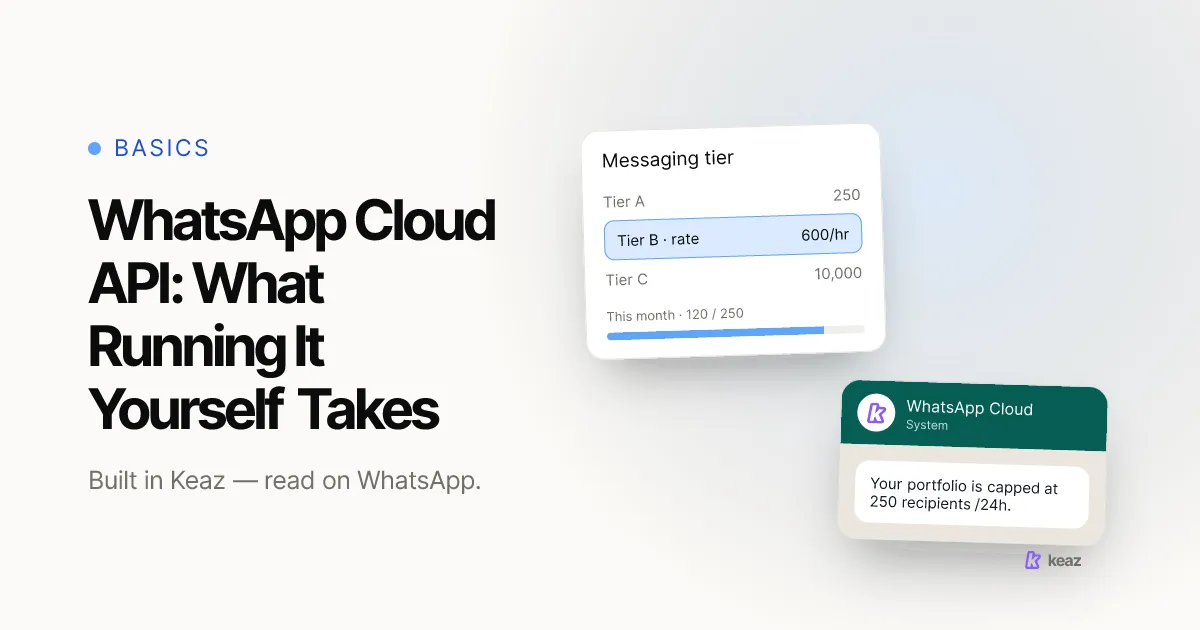
- On the WhatsApp Business Platform, newly created business portfolios start at 250 unique recipients per rolling 24 hours and scale to 2,000; above that Meta raises the limit automatically on quality and sending volume, rather than through a fixed ladder.
What do you need before you start?
Three things, and one of them is the decision most people skip. You need a phone number you control, a device that can receive a text or a call on it, and a clear answer to which number this is going to be. The number you register becomes your business identity inside WhatsApp; changing it later means telling every customer, so it is worth five minutes now.
- A number you own. Registration sends a code by text or voice call, so the number has to be reachable on the device you register from.
- A number that is not already live in another WhatsApp app on the same phone. One number, one app.
- A logo, a business category and a short description. Setup asks for these, and an empty profile is the first thing a new contact sees.
Still deciding whether you need the business app at all? The difference between WhatsApp and WhatsApp Business is the shorter read, and it will tell you whether this guide applies to you.
How do you set up the WhatsApp Business app?
Meta documents the flow as four steps, and they are the same on Android and iOS.
- Download and launch. The app is free on Google Play and the Apple App Store. On first launch you are asked to read and accept the WhatsApp Terms of Service.
- Register your number. Select your country to set the dialling code, enter the number, confirm it is correct, and clear the CAPTCHA-style check.
- Verify by code. Meta sends a verification text or places a call. Enter the code and the number is registered to the app.
- Build your business profile. Fill in the business name, choose a business category, and upload a logo or profile image. At that point you can start messaging.
Meta's own get-started page frames the verification step as a security and fraud-prevention measure, not a business review — nothing is assessed and nobody approves you (Meta, WhatsApp for Business, 2026, retrieved 2026-09-04). If you are used to ad platforms, this is faster than you expect. There is no queue to join.
Connecting a number to Keaz is a separate, later step and does not happen in the app — see connect your WhatsApp account in the help center.
Can you convert a personal WhatsApp account?
Yes, in the sense that matters. Meta's documentation states that moving your account information from WhatsApp Messenger to the WhatsApp Business app is supported, and the app offers it during registration alongside restoring a previous WhatsApp Business backup from Google Drive (Meta, WhatsApp for Business, 2026, retrieved 2026-09-04).
What it is not is a toggle. There is no switch inside personal WhatsApp that converts the account and leaves everything else untouched. You install the second app, register the same number, and take the migration option when it appears. After that the number belongs to WhatsApp Business on that phone.
Two consequences worth planning for. First, if the number is your personal mobile, every customer conversation now arrives in the app you also read in the evening — usually the point, but it means your business hours are whatever your phone is doing. Second, back up before you start. A migration you cannot reverse is a bad place to discover you had no backup.
Considering a landline instead, so the business number is never personal? That works, with conditions — WhatsApp Business on a landline number covers what registers and what does not.
How do you fill in the profile so it earns trust?
The profile is the only thing a customer can inspect before deciding whether to reply. Treat it as a shop window, not a form.
- Business name: the name customers actually search for, not the legal entity.
- Category: the closest honest match. It shows in the profile and sets expectations before the first message.
- Description: what you sell and who you sell it to, in one sentence.
- Address, hours, website, email: fill in every field you can fill honestly. Blanks read as abandoned.
One thing a complete profile will not give you is a checkmark. The blue checkmark marks an Official Business Account, which is granted on the WhatsApp Business Platform through WhatsApp Manager and is not available to WhatsApp Business app numbers; app users have a separate paid path through Meta Verified. The full picture is in WhatsApp business verification.
If you later run the number through Keaz, the same fields are maintained under WhatsApp profile settings, so you keep one profile rather than two.
When should you move to the WhatsApp Business Platform?
The app is built for one person answering conversations on one phone. You move when that stops describing your business. Three signals, in the order they usually arrive.
- More than one person needs the inbox. The app has no seats. This is the most common reason DACH stores switch, and it arrives earlier than most owners expect.
- You want to send outbound campaigns. On the Platform, approved message templates are the only message type that can be sent outside an open customer service window, and Meta charges per delivered message — per-message pricing replaced conversation-based pricing on 1 July 2025.
- You want automation tied to shop events. Abandoned checkout, post-purchase follow-up, review requests: those need the Platform and a connection to your store.
Raw scale is rarely the trigger, but it is worth knowing its shape. Messaging limits on the Platform are the maximum number of unique WhatsApp users you can message outside a customer service window in a moving 24-hour period. They are set at business-portfolio level and shared by every business phone number in that portfolio. Newly created portfolios start at 250 and can rise to 2,000 by completing a scaling path; above that, Meta raises the limit automatically on the quality and volume of what you send rather than through fixed steps, so the ceiling that applies to you is the one WhatsApp Manager shows (Meta for Developers, Messaging limits, retrieved 2026-09-17).
The rates, windows and limits that actually bill you are collected on WhatsApp facts, the platform itself is explained in what the WhatsApp Business API is, and what it costs before you get that far is in is WhatsApp Business free.
What the Platform looks like once it is flows, templates and a shared inbox rather than an API is on the Keaz features page.
Common mistakes
Six mistakes account for most of the setups that have to be redone.
- Registering the wrong number. The number is the identity. Register the one you intend to keep, not the one you happen to be holding.
- Migrating without a backup. The move from personal WhatsApp is not designed to be reversed.
- Leaving the profile half-empty. No description and no opening hours costs replies before anyone has spoken to you.
- Expecting a checkmark. Neither the app setup nor a complete profile produces one, and no amount of profile detail changes that.
- Buying the Platform before you need it. If one person answers everything on one phone and you send no campaigns, the app is the right tool and there is nothing to migrate yet.
- Treating the app as a broadcast channel. It was not built for outbound marketing, and using it that way is how numbers collect spam reports.
The last two are the expensive ones, because both are decisions rather than typos. If you are unsure which side of the line you are on, count the people who need to read a customer message this week.
Setting up WhatsApp Business is the easy part, and the part everybody researches. The decision that costs money later is which number you register, and how long you stay on the app after your team outgrows one phone. Do the first properly and the second becomes a scheduling problem rather than a migration.
Want to know what the channel is worth for your store before you commit? Run the Keaz Forecast — it estimates WhatsApp revenue from your own Shopify numbers.
Frequently asked questions
Is the WhatsApp Business app free?
Can I use the same number for personal and business WhatsApp?
Do I lose my chat history when I switch?
How long does setup take?
Does setting up WhatsApp Business get me a verified checkmark?

Nils Spölgen
Founder at Keaz. Serial founder in chat marketing — built a local agency into Keaz, the WhatsApp marketing platform for Shopify. Bootstrapped the MVP, raised funding, and scaled to 200+ merchants in DACH. Writes about flows, opt-in & GDPR, Klaviyo, and realistic revenue benchmarks — prefers conservative math over impressive claims. View profile