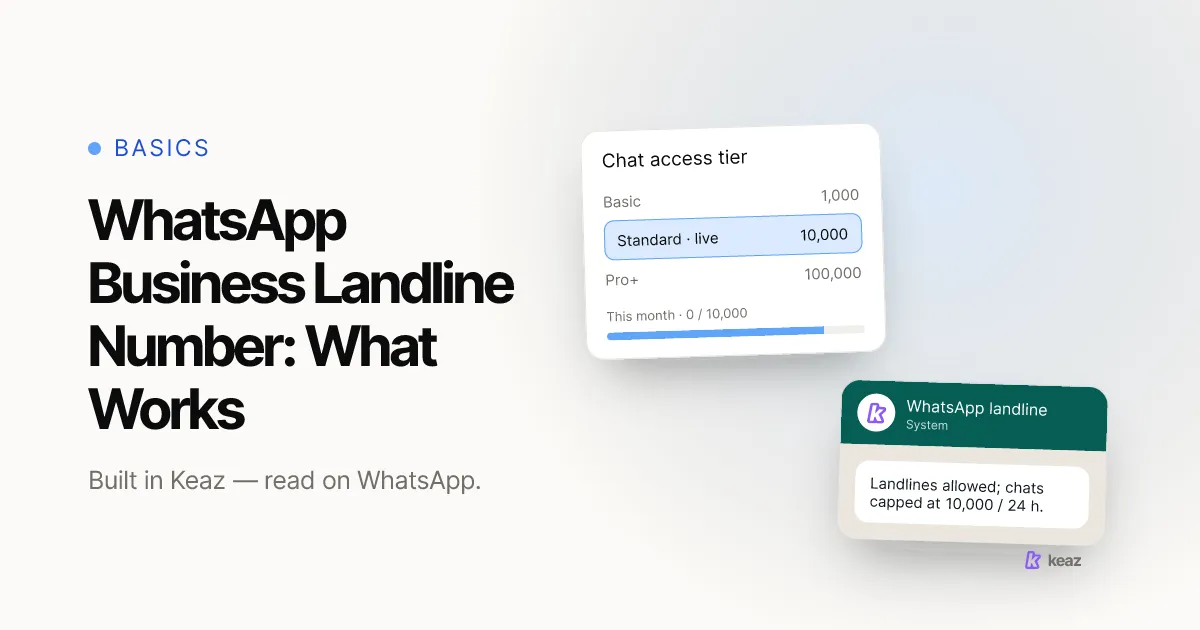
Yes — you can use a landline number for WhatsApp Business. Meta's own documentation states that you may register a mobile phone or a landline (fixed) number that you own, and that the registration code is delivered by call or SMS to that number (WhatsApp Help Center, retrieved 2026-08-24). The one hard exception is a landline extension — those cannot complete registration. Whether you ought to put your shop's landline on WhatsApp is a different question, and for most Shopify stores the honest answer is: not first.
- Yes, with 1 exception. A mobile or a landline you own can be registered; landline extension numbers cannot complete the registration process (WhatsApp Help Center, retrieved 2026-08-24).
- ~15 minutes of active work, plus up to 2 working days if Meta has not verified your business yet.
- 0 customers see the number. In the chat they see your display name, exactly the way a saved contact appears.
Can you register a landline number for WhatsApp Business?
Short answer: yes, on both paths — and the core requirement is the same on each.
For the WhatsApp Business app, Meta documents that you can register "a mobile phone or a landline (fixed) number that you own", with the code sent by call or SMS to that number. The exclusion is stated just as plainly: "Landline extension numbers can't be used to complete the registration process" (WhatsApp Help Center, retrieved 2026-08-24).
For the WhatsApp Business Platform — the API path, which is what a tool like Keaz runs on — the same principle holds with one extra condition. Meta documents that a number sitting behind an IVR, a phone menu, can be registered as long as the line accepts international calls and the menu can route the verification call to a person who reads the code out (Meta for Developers, retrieved 2026-08-24).
So the technical question is settled. If you own the line and a human can pick it up, it can carry WhatsApp. If you are not sure which of the two paths you are on, the difference between WhatsApp and WhatsApp Business sorts that out, and WhatsApp Business with multiple users compares the app against the Platform for a team that shares one number.
How does verification work on a landline?
Registration is a single one-time code, and the whole thing turns on whether a person can receive it.
- You enter the number you want to register, in full international format.
- You choose how the code arrives — a voice call or an SMS to that number.
- Someone answers the line, or reads the SMS, and enters the code.
- The number is bound to that WhatsApp Business account, and your display name goes for approval.
That mechanism is exactly why a landline is fine and a landline extension is not: the code has to reach the number itself, not a menu position behind it. If your shop line runs through a phone menu on the Platform path, check that the menu can hand a call to a person rather than dropping it into a mailbox.
In Keaz the connection runs through 360dialog, our WhatsApp Business Solution Provider in Berlin, and the Meta Business Manager. Budget around 15 minutes of active work, plus up to two working days if Meta has not verified your business yet. Connect your WhatsApp account walks through every screen, including the number choice.
What actually breaks when you use your landline?
Nothing breaks in the protocol. The problems are operational, and they turn up after you are live.
- Extensions are out. A number written as +49 30 1234-56 cannot complete registration. You need the base line, not the seat behind it.
- The line has to be answerable. A number that rings in an unstaffed back room, or that goes straight to a mailbox, cannot receive the code — and on the Platform path an IVR has to route the call to a person.
- It is still your phone line. Registering it for WhatsApp does not stop the calls. If that number is your service line, two channels now land in the same place, and one of them has no ring tone.
- No blue checkmark on an app number. Meta documents that the Official Business Account badge is not available for WhatsApp Business app numbers, retrieved 2026-08-24. If the badge matters to you, that is a decision about which path you are on, not about which number you use.
- Freeing up a line takes longer than the setup. In a company of five people, finding a spare WhatsApp-capable line is routinely the slowest step in the entire onboarding — slower than the software, slower than Meta.
Which number should a Shopify store actually use?
Our recommendation for a first setup is not your landline. It is the Meta-provided number.
During the Keaz setup you can choose "Use Meta-provided number" instead of supplying one of your own. It is a US number, which sounds worse than it is: your customers never see it in the chat. They see your display name, exactly the way a saved contact appears. The digits only surface if someone deliberately opens the account details.
That single choice removes the slowest dependency from your launch. You go live, you send your first flows, and you move your own landline or mobile over later, once WhatsApp has earned it. Nothing you build in the meantime is lost.
What does deserve your attention is the display name, because that is what your customers actually read. Use the name they know you by rather than the full legal entity, and skip umlauts and special characters — they are not carried over reliably. WhatsApp Profile settings covers the field. And whichever number you land on, the rule before it does not change: opt-in comes first, it has to be explicit, and it has to name your business.
If you would rather know what the channel is worth before you touch a phone line at all, the Forecast runs on your own Shopify data instead of an industry average. What Keaz does is the shorter version, and the industry breakdowns show where the numbers come from.
Common mistakes
Five failure modes account for almost every stuck setup we see on a business number.
- Registering the extension instead of the base number. The most common failed registration on a company line, and the error rarely explains itself.
- Choosing a line nobody answers. The code arrives as a call or an SMS. Pick a number someone is sitting next to for ten minutes, then do the setup.
- Waiting to free up a landline before launching. The Meta-provided number exists precisely so a phone line does not block a launch. Start, then migrate.
- Entering a display name customers do not recognise. The registered legal name is not what they know you by, and the display name is what replaces the number in the chat.
- Leaving business verification for later. Your company details in Meta have to match your commercial register entry — name, address and phone number. Mismatches are the most common cause of a failed verification, and verification also raises the volume you are allowed to send.
The landline question has a boring answer, and boring is good: it works, extensions aside, and it is not the decision that decides anything. What matters is that one person can receive one code, that your display name is the name your customers recognise, and that you do not hold a launch hostage to a phone line. Start on the number that is available today and move your own across when the channel has paid for the effort.
Want to see what WhatsApp is worth on your store's own numbers before you set anything up? Run the Forecast — it reads your Shopify data, not an industry average.
Frequently asked questions
Can I use a landline number for WhatsApp Business?
Do my customers see the phone number?
Can I switch to my own number later?
What if my shop line runs through a phone menu?
How long does the whole setup take?

Nils Spölgen
Founder at Keaz. Serial founder in chat marketing — built a local agency into Keaz, the WhatsApp marketing platform for Shopify. Bootstrapped the MVP, raised funding, and scaled to 200+ merchants in DACH. Writes about flows, opt-in & GDPR, Klaviyo, and realistic revenue benchmarks — prefers conservative math over impressive claims. View profile