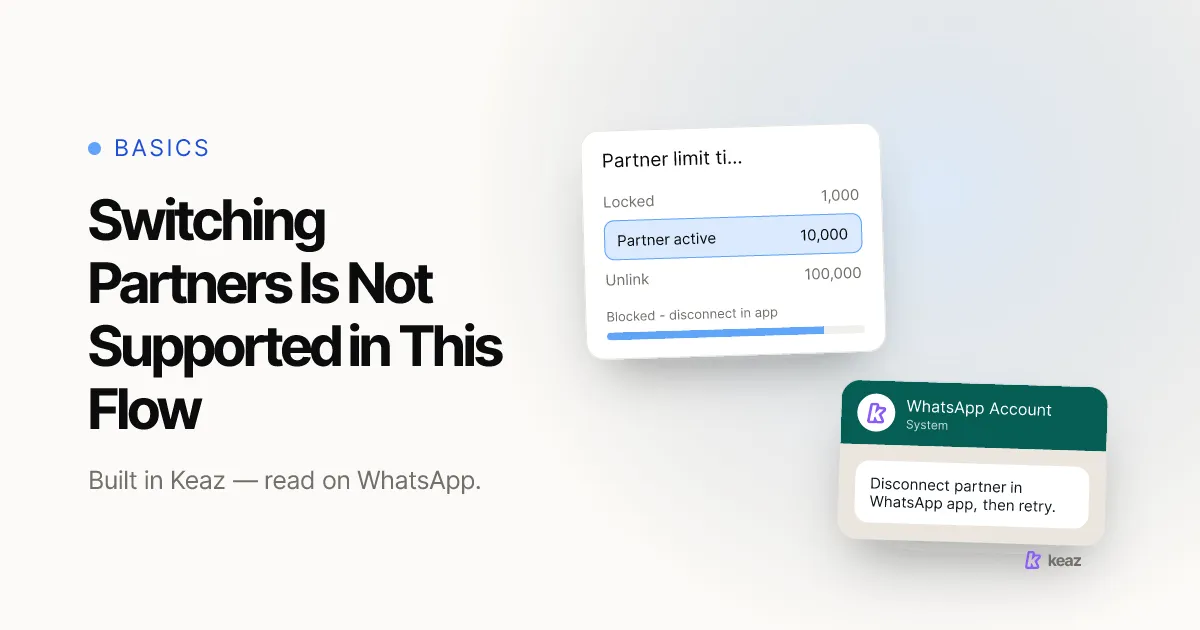
If a WhatsApp signup screen stops you with "switching partners is not supported in this flow", nothing is broken and nothing is banned. Your business phone number is still shared with the provider you are leaving, and Meta will not hand the same account to a second provider while that is true. Disconnect the old partner first — from inside the WhatsApp Business app, not from Meta Business Suite — then run the new connection again.
- One partner at a time. A number onboarded from the WhatsApp Business app shares one converted account, so a second partner cannot sit alongside the first.
- Four steps to clear it. Settings, then Account, then Business Platform, then Disconnect Account — all in the app on the phone that holds the number.
- Zero assets change hands. Meta documents that the business owns its WhatsApp assets, and the account keeps the same ID through the switch.
What does this WhatsApp error actually mean?
The full message reads: "The business is already sharing this WhatsApp Business account with a partner. Switching partners is not supported in this flow. Disconnect the current partner in the WhatsApp Business app, then return here to connect a new partner."
"Partner" here is not an agency and not a Meta employee. It is your WhatsApp Business Solution Provider or Tech Provider — the company whose app holds permission to send on your account. If you have not settled on the new one yet, how to choose a WhatsApp Business Solution Provider is the better place to start than a half-finished signup.
The error only appears on one specific route: onboarding a number that is already live in the WhatsApp Business app. Meta's documentation calls that coexistence. In the standard Cloud API route, Meta creates a separate messaging account for each partner, so two providers can in principle hold their own. In coexistence, Meta converts your existing account instead and shares that single converted account with the partner. One asset, one holder. See Meta's Embedded Signup documentation (Meta for Developers, 2026, retrieved 29 September 2026).
So this is a wiring message, not a judgement on your business. Your account standing has not changed, your number is not at risk, and no one is reviewing you.
Why can't the signup flow just switch partners for you?
Because the flow has no safe way to take an asset away from whoever currently holds it. Removing a partner is a decision only you can make, from a surface you control, and Meta deliberately keeps that decision out of a new provider's onboarding screen.
There is a second, more technical reason. Meta's own documentation states that you cannot use the Deregister API to deregister a business phone number from the Cloud API if it is in use with both the Cloud API and the WhatsApp Business app. Your new provider therefore cannot clear the way for you even if they wanted to — the action has to come from the app on your phone. See Meta's guide to onboarding WhatsApp Business app users (Meta for Developers, 2026, retrieved 29 September 2026).
It is worth separating this from the other failure that involves the word partner. If your messages were sending fine and then stopped, nobody is blocking a switch — somebody removed the partner row from your Meta business portfolio, which is a disconnected WhatsApp Business Account and a different fix on a different screen. This error is the opposite situation: the old partner is still firmly attached.
How do you disconnect the current partner?
Meta's documentation describes the offboarding path as a sequence inside the WhatsApp Business app itself. Do this on the phone that holds the number, not in a browser.
- Line up the new provider first. Between the disconnect and the reconnect you cannot send through any platform, so have the new signup open and ready before you start.
- Open the WhatsApp Business app and go to Settings.
- Open Account, then Business Platform.
- Tap Disconnect Account. This withdraws the current partner's access. Meta signals the change to that provider as a partner-removed event, so they will see it on their side too.
- Return to the new provider's signup and run it again. With the number free, the screen that blocked you should now take it.
On the Keaz side, the reconnect is the ordinary path — connecting your WhatsApp account walks through it, including the warning about starting a second provider account by mistake. Once the connection is live, turn your automations back on deliberately rather than all at once; flow activation covers the order.
One honest caveat: Meta moves menu labels in the WhatsApp Business app without announcing it. The path above is what Meta's developer documentation described on 29 September 2026. If your app does not show Business Platform under Account, ask your new provider rather than hunting through settings — a wrong tap in that menu can re-register the number.
What do you keep when you switch providers?
More than most merchants expect, and this is the part worth reading before you hesitate over the switch.
- The number, and the assets behind it. Meta documents that businesses onboarded through Embedded Signup own all of their WhatsApp assets and keep full access to WhatsApp Manager — access a partner cannot restrict in any way.
- The account ID. In the coexistence route the converted messaging account keeps the ID it already had, which is why the switch does not look like a new account to Meta.
- A clean billing line. Meta states that billing lives on the messaging account and each partner on a phone number bills separately, so the old provider's arrangement does not follow you to the new one.
- Your one-to-one chat history, within limits. A new partner may synchronise messages from the previous 180 days, but only if you agree to share them and only within 24 hours of onboarding. Group chats are never synchronised.
What does not transfer automatically is the work your old provider did inside their own tool: message templates as they built them, segments, flow logic and reporting history. Ask the new provider directly which of your approved templates they can reuse and which have to be submitted again — that answer varies by provider and is a fair thing to ask before you disconnect anything. Our own flows and growth tools page is a fair inventory of what has to exist on the other side before a migration is finished.
What if the error is still there after disconnecting?
Four causes account for most of the cases where the disconnect does not clear it.
- A shared credit line from the old partner. Meta names this explicitly: a business that worked with a partner in the past and still shares that partner's line of credit may see an error when attempting to switch to a new one. This one is not fixed in the app — your new provider has to raise it with Meta support.
- The wrong business portfolio in the signup. Shops that have run ads for years often have two. Selecting the one that does not own the number produces an error that looks similar and has nothing to do with partners.
- A number created through a developer app. Meta documents that existing WhatsApp accounts originally created via the developer app cannot be selected or onboarded directly through Embedded Signup.
- An out-of-date signup on the provider's side. Meta is retiring Embedded Signup versions 2 and 3 on 15 October 2026. A provider still on an older version is a fair question to ask if a migration keeps failing.
When you escalate, paste the error text exactly as it appeared and say which number and which business portfolio you used. Support on both sides can resolve it in one round trip with that, and in three or four without it.
Common mistakes
- Looking for the fix in Meta Business Suite. The partner list in your business portfolio is a different screen for a different problem. This one is cleared in the WhatsApp Business app.
- Disconnecting before the new provider is ready. Every hour between the two is an hour with no order confirmations going out. Book the switch like a deployment, not like a settings tweak.
- Starting a second signup instead of finishing the first. A duplicate provider account attached to the wrong portfolio is harder to unpick than the error you began with.
- Reading it as a ban. Enforcement arrives as a notice against your account. A signup screen refusing to reassign an asset is not enforcement.
- Leaving the old provider's automations running. Switch them off before you disconnect so they stop erroring into a connection that no longer exists.
- Not asking about templates and history first. Both questions have concrete answers. Getting them after the disconnect is the expensive order.
This error is a queue, not a wall. One account can be shared with one partner, the old one is still holding it, and four taps in the WhatsApp Business app release it. The only part that needs planning is the gap: disconnect when the new provider is ready to take the number, not the evening before.
If you are weighing whether the migration is worth the afternoon, put a number on it first. The Keaz revenue forecast estimates what WhatsApp can add for a store your size, from your own order data, before you change a single setting.
Frequently asked questions
Does disconnecting delete my WhatsApp Business Account?
Can my old provider stop me from switching?
Will my customers notice the switch?
Do I have to verify my business again?
Why does this error only show up for some numbers?

Nils Spölgen
Founder at Keaz. Serial founder in chat marketing — built a local agency into Keaz, the WhatsApp marketing platform for Shopify. Bootstrapped the MVP, raised funding, and scaled to 200+ merchants in DACH. Writes about flows, opt-in & GDPR, Klaviyo, and realistic revenue benchmarks — prefers conservative math over impressive claims. View profile