A WhatsApp message template is a message you submit to Meta for approval before you send it, and it is the only kind of message you can send to a customer outside the 24-hour customer service window. When you submit one you propose a category — Marketing, Utility or Authentication. Meta validates that proposal against its own guidelines, and the category it lands on decides what every send costs you. You do not get the final say, and the decision is not permanent.
The short version:
- Three categories exist — Marketing, Utility and Authentication — and templates are the only message type that can be sent outside an open customer service window.
- One day of advance notice is all Meta gives before moving a Utility template to Marketing. After a misuse warning, the change is instant.
- 60 days is how long you have to appeal a category change in Business Support Home.
What are the three WhatsApp template categories?
Meta sorts every template into one of three buckets, and the bucket is a pricing decision as much as a taxonomy one.
- Marketing — the most flexible category. Awareness, sales, retargeting, app promotion and relationship-building all sit here.
- Utility — follow-ups on something the customer did or asked for: order confirmations, shipping updates, account alerts, order-specific feedback requests.
- Authentication — one-time passcodes and identity verification, and nothing else. Marketing and Utility templates cannot be used to send an OTP.
Templates are the only message type that can be sent outside an open customer service window, which is why they exist at all: once that 24-hour window closes, an approved template is your only way back into the conversation. If you are still working out what sits behind all of this, what the WhatsApp Business API is and who needs it covers the platform layer.
What each category costs per delivered message depends on the recipient's market and changes on Meta's schedule, not ours. We keep those figures dated and sourced on the WhatsApp facts reference rather than repeating them here, because a rate quoted in a blog post goes stale quietly.
What makes a template Utility rather than Marketing?
This is the question that decides your bill, and Meta's answer is stricter than most merchants expect. For a template to be categorised as Utility it has to meet both of these conditions:
- It must be non-promotional — no promotional or persuasive intent anywhere in it.
- It must also be either specific to or requested by the user — clearly tied to their order, account, service or transaction — or essential or critical to them, such as a safety or fraud alert.
Two rules follow from that, and they catch out a lot of Shopify stores:
- Mixed content is Marketing. An order update with a promo code attached, or a feedback survey with an offer in it, is categorised as Marketing in full. The promotional half contaminates the whole template.
- Retargeting is Marketing even when the customer asked for it. Abandoned-cart reminders, subscription-renewal nudges and "we saved your items" messages are retargeting by Meta's definition, regardless of how the contact opted in.
A third trap sits in feedback requests. A survey only qualifies as Utility if it names the specific order or interaction it relates to; a generic "how are we doing?" will not be approved as Utility. If you are planning a send to a list rather than to one customer, how to send a WhatsApp broadcast safely covers the list-side rules that sit alongside these.
Why does Meta change a template's category after approval?
This is the part most coverage skips, and it is the part that actually costs money. Meta runs a recurring check across approved templates and moves any that no longer match the guidelines — including templates whose category a reviewer previously confirmed.
Two behaviours are worth knowing in detail, both documented in Meta's template categorization documentation (Meta, retrieved 2026-10-26):
- At submission. Since 9 April 2025, if you submit a template as Utility and Meta decides it should be Marketing, the template is approved as Marketing rather than rejected. Nothing visibly fails. You find out from the category field, or from your invoice.
- After approval. A Utility template that should be Marketing is moved with one day of advance notice. The template's status stays APPROVED and it keeps sending — only the category, and therefore the rate, changes. If your account has already received a misuse warning, that notice disappears and the change is instant.
Meta notifies you by email to anyone with full control of the Messaging account, by a template_category_update webhook, and through a banner in WhatsApp Manager. If nobody on your team reads those, there is a direct check: request the category and correct_category fields from the Message Templates API. Where the two disagree and correct_category is not empty, that template is scheduled to change on the first day of next month.
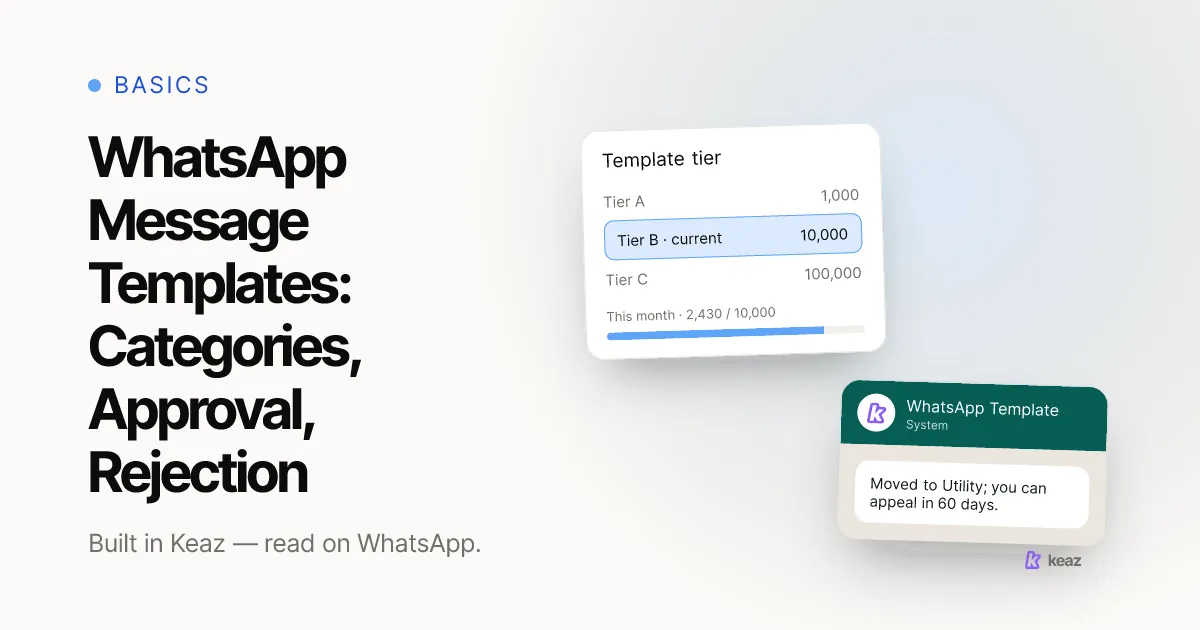
You have 60 days to review and appeal a change in Business Support Home.
What do Authentication templates require?
Authentication is the most restrictive category, and Meta enforces it structurally rather than editorially. To be classified as Authentication, a template must:
- Come from Meta's Template Library rather than being written freehand.
- Carry a one-time-password button — either copy-code or one-tap.
- Contain no URLs, no media and no emojis, in the content or in the parameters, with parameters capped at 15 characters.
There is a sharper consequence attached. A Marketing or Utility template that Meta decides should have been Authentication is not quietly recategorised: on the first day of the following month its status is set to REJECTED and it stops sending. For that case you cannot request a review. The only remedy is to build a replacement from the Template Library before the deadline — which is why it is worth checking any template that carries a code, a PIN or a login link.
Why was your template rejected, and what can you do?
A rejection on category grounds comes back with the status REJECTED and the reason INCORRECT_CATEGORY. In plain terms: Meta disagreed with the category you picked, not necessarily with your copy.
You have three routes from there:
- Edit the category and resubmit. The template goes through category validation and review again. If it passes, the category updates.
- Rewrite the content to match the category you want. If you wanted Utility, strip the promotional half out — the offer, the discount code, the persuasive line — and resubmit.
- Request a review. This is only available for templates that are Utility or Marketing with status REJECTED, or Marketing with status APPROVED. Reviews are requested through WhatsApp Manager: Message Templates, then Go to Business Support, then Template Category Updates, then Request Review.
Inside Keaz you do not assemble templates from scratch for every send. The Flow builder and the newsletter composer both start from a template selection — how the Flow template selection works and the newsletter template selection show what you are picking from and what stays editable afterwards. The categorisation rules above still apply to whatever you put in them.
What happens if Meta thinks you are gaming the categories?
Meta treats persistent miscategorisation as abuse rather than error, and the response escalates. The documented ladder runs:
- Warning — a written warning to Messaging account admins. From that point, Utility-to-Marketing changes on your account happen instantly, with no advance notice.
- Rate limiting — Utility message volume is capped in a rolling 24-hour window and messages over the cap are rejected. Minimum seven days. Marketing and Authentication sends are unaffected.
- Utility restriction — every approved Utility template on the Messaging account is recategorised to Marketing, and you cannot create new Utility templates or request category reviews. Seven days, or 30 for repeat violations.
- Portfolio-level restriction — if the pattern spans several Messaging accounts under one business portfolio, the same restriction applies across all of them for 30 days.
The practical reading: one over-reaching template is a correction, a habit of filing marketing copy as Utility is an account risk. What Keaz ships as templates is built around that distinction rather than around squeezing a lower rate out of promotional copy.
Common mistakes
- Putting a discount code in an order confirmation. It is the single most common way a Utility template becomes a Marketing template. Send the confirmation and the offer as two separate templates if you want both.
- Filing abandoned-cart reminders as Utility. Retargeting is Marketing by definition, even when the customer opted in and even when they asked to be reminded.
- Writing a generic feedback survey. "How did we do?" is Marketing. "How was order 1047?" can be Utility, because it names the transaction.
- Assuming approval is final. It is not. A template approved as Utility in March can be Marketing in June with one day's notice, and the status will still read APPROVED.
- Adding an emoji or a tracking link to an Authentication template. Both are disallowed outright, along with media, and parameters longer than 15 characters.
- Letting the notification emails go to one person. The category-change email goes only to people with full control of the Messaging account. If that is one founder's inbox, nobody else sees a rate change coming.
The category is not a label you choose — it is a verdict Meta reaches about your content, it can be reached again after approval, and it is what sets the price of every send. The way to stay on the cheaper side of it is not clever wording; it is keeping promotional intent out of templates that are supposed to be operational, and checking correct_category often enough that a change never surprises you.
If you want to know what WhatsApp would actually be worth for your store before you start building templates for it, run the Forecast — it works from your Shopify numbers, not from averages.
Frequently asked questions
What are the three WhatsApp template categories?
Can Meta change my template's category after it has been approved?
Why was my WhatsApp template rejected?
How long do I have to appeal a category change?
Does a promo code make my order confirmation a Marketing template?

Nils Spölgen
Founder at Keaz. Serial founder in chat marketing — built a local agency into Keaz, the WhatsApp marketing platform for Shopify. Bootstrapped the MVP, raised funding, and scaled to 200+ merchants in DACH. Writes about flows, opt-in & GDPR, Klaviyo, and realistic revenue benchmarks — prefers conservative math over impressive claims. View profile