Choose a WhatsApp Business Solution Provider on five things you can verify before you sign: how your number gets onboarded, how deep the Shopify integration really goes, who manages templates and message quality, how the provider's fee sits on top of Meta's own per-message charge, and what leaving would cost you. Feature lists are the least useful part of the decision, because a large share of what buyers compare is set by Meta and is identical whichever provider you pick.
- Two bills, not one. Meta has charged per delivered message since 1 July 2025. Your provider's fee sits on top of that. A quote that shows one number is hiding the other.
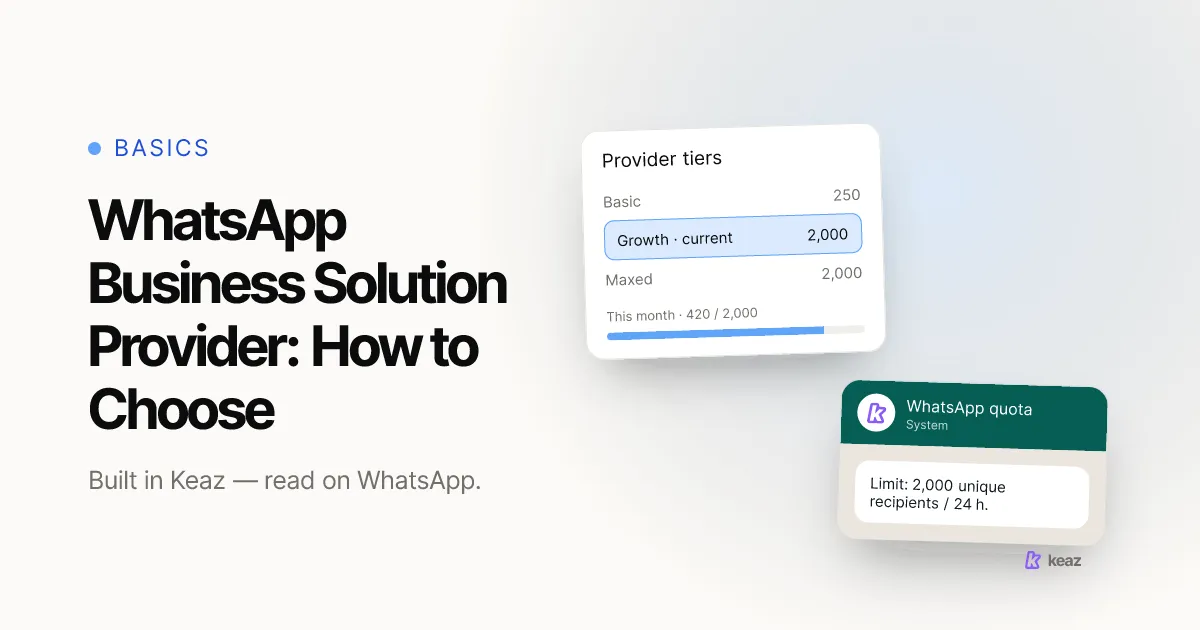
- 250 to start. A new number can reach 250 unique recipients per rolling 24 hours and scales to 2,000 — Meta's limit, counted across your whole portfolio, and no provider can raise it for you.
- 35–55% to over 85%. Shops typically reach 35–55% of their last-12-months customers on WhatsApp before any integration work, and over 85% within about 60 days. That gap is worth more than any feature comparison.
What does a WhatsApp Business Solution Provider actually do?
A provider sits between your shop and WhatsApp. It gets your number onboarded, gives your team somewhere to write and send messages, connects your store data so those messages can be triggered by real events, and keeps your sending healthy. “BSP” is the industry shorthand for the same thing.
What a provider does not do is change WhatsApp's rules. That single sentence removes most of the noise from the decision, and it is why this article names no vendors and rates none: per-provider pricing and feature claims go stale within a quarter, and a comparison table built on them is wrong by the time you read it.
If you are still deciding whether you need the API at all rather than the free app, start with WhatsApp Business with multiple users: app vs. API — team size and automation are what force the move, not market pressure.
Which parts of the decision does Meta control, not your provider?
More than most buyers expect. Every item below belongs to Meta, is documented by Meta, and is the same for every provider on the market. Retrieved 24 August 2026.
- How you are billed. Meta charges per delivered message, priced by the recipient's market and the template category, and bills on delivery rather than on send. Conversation-based pricing was replaced on 1 July 2025.
- What counts as a marketing message. Templates come in three categories: marketing, utility and authentication. Meta decides the category, re-checks it, and can move a utility template to marketing with one day's notice. A good provider surfaces that quickly; none can prevent it.
- How many people you may message. Messaging limits cap the unique recipients you can reach outside an open customer service window in a moving 24-hour period. They are counted at portfolio level across your numbers, start at 250, and scale to 2,000 through Meta's scaling paths before scaling automatically.
- The blue checkmark. Official Business Account status is requested through WhatsApp Manager and is not available for WhatsApp Business app numbers. Nobody sells it to you.
- Consent. Meta requires an opt-in before you message someone, and the opt-in has to name your business. A provider should make consent easy to collect and easy to prove. The requirement itself is not negotiable.
So when two providers look different on a feature grid, check which side of that line the row sits on. Half of a typical comparison is Meta's behaviour described twice.
What are the five criteria that actually matter?
These are the rows a vendor grid usually leaves out, roughly in the order they will cost you money.
- Onboarding, watched live. Ask to see your own number connected on a call, rather than reading about it. Connecting a WhatsApp account is a short, concrete process; a provider who cannot show it end to end in one sitting is telling you something about support.
- Shopify integration depth. The real question is whether the tool reads your store or merely sends into it. A Shopify integration that syncs orders, checkouts and customers is what separates “send a broadcast to everyone” from “message the people who abandoned a checkout above your average order value yesterday”. Compare that, not channel counts — the feature list is where you check it.
- Template and quality handling. Who writes the templates, who watches the quality rating, and what happens the day one is rejected or re-categorised. This is ongoing work, not a setup task.
- What the fee is made of. Ask for a plan fee and a per-message fee as two separate lines, plus a worked example at your real monthly volume. The headline monthly price is the least informative number in the whole comparison, because at real volume the per-message line dominates.
- How you would leave. Ask what migrating away looks like, who does the work, and how long you would be unable to send. Ask before signing and get the answer in writing. It is the cheapest question to ask and the most expensive one to postpone.
Two of those five are Shopify-specific, which is why a general-purpose messaging tool and a Shopify-native one are not really competing for the same job. If you are weighing those two shapes against each other, how to evaluate a WhatsApp tool for Shopify walks through the same decision from the tool side.
How do you run a shortlist in one week?
Five steps, in this order. The order matters more than the speed.
- Write your own numbers down first. Last-12-months customers, how many of them have a phone number on file, and your current email open rate. Without those you cannot judge any answer you get.
- Shortlist three, not seven. Beyond three, the comparisons stop being read.
- Make each one show onboarding live on your own number.
- Give all three the same worked example at your real monthly volume, and insist on the plan fee and the message fee as separate lines.
- Ask all three the exit question, then decide on the two criteria that are hardest to change later: integration depth and exit terms.
If you want something to test the answers against, our industry benchmarks give first-90-day ranges by vertical, and how the forecast is calculated shows the inputs behind them. Published engagement bands — WhatsApp read rates above 90% against 30–40% email open rates, and roughly 1.5× conversion rate on a shared audience — are labelled bands, not guarantees. Treat any provider quoting better ones without a method as a warning sign.
Common mistakes
- Comparing monthly plan fees. There are two line items. At any real volume the per-message line is the one that decides the bill.
- Paying for something Meta gives you. Verification, template approval and messaging-limit increases belong to Meta, on Meta's terms, for everyone equally.
- Treating “omnichannel” as depth. The number of channels a tool supports says nothing about how well it handles the one channel that is paying for itself.
- Skipping the exit question because the relationship is new. That is precisely when it is easy to ask.
- Buying on a coverage promise. No provider can promise you reachable contacts. Coverage comes from your checkout, your opt-in and your existing customer base — which is also why it is the number worth measuring first.
- Letting the provider own your consent records. You need to be able to show, per contact, when and how consent was given.
The provider decision is smaller than it looks. Meta sets billing, messaging limits, template rules and verification identically for everyone, so three questions are left that actually differ: how well the tool reads your store, what the fee is really made of, and how you would leave. Answer those honestly and the shortlist tends to answer itself.
Before you compare anyone, measure the gap you are trying to close: see what your WhatsApp coverage gap is worth.
This is a summary rather than legal advice. Consent and data-protection duties depend on your own setup, so have your own counsel review how you collect and document opt-ins.
Frequently asked questions
Do I need a provider at all, or is the free WhatsApp Business app enough?
Is one provider genuinely cheaper than another?
Can a provider get me a higher messaging limit?
How long should onboarding take?

Nils Spölgen
Founder at Keaz. Serial founder in chat marketing — built a local agency into Keaz, the WhatsApp marketing platform for Shopify. Bootstrapped the MVP, raised funding, and scaled to 200+ merchants in DACH. Writes about flows, opt-in & GDPR, Klaviyo, and realistic revenue benchmarks — prefers conservative math over impressive claims. View profile