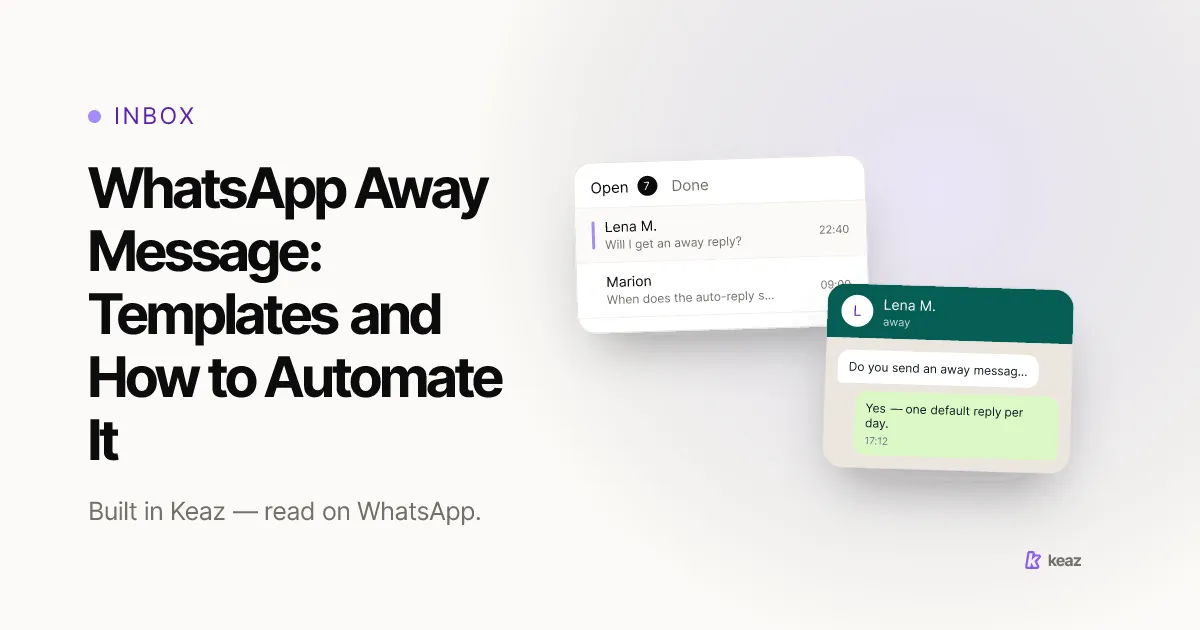
A WhatsApp away message is an automatic reply that answers a customer when nobody is at the desk. On the WhatsApp Business Platform you build it as a Default Reply: one catch-all text that goes out to any incoming message no keyword already answers. In Keaz it sits in the Inbox behind the Automation button, it takes about two minutes to set up, and it is sent at most once every 24 hours per contact — so a customer who writes four times gets one reply, not four. Below are nine templates you can paste, and the rule for deciding which automation each one belongs in.
- 3 automations do this job in Keaz — keywords, the Default Reply and the Conversation Starter. Each one reacts to something different.
- 1 Default Reply per account, sent at most once every 24 hours per contact — which is what makes it safe to leave switched on permanently.
- 3 system keywords — Widerruf, Stop and Datenschutz — ship in every Keaz account and cannot be deleted.
What is a WhatsApp away message, and what does it actually do?
An away message does one job: it stops a chat from looking abandoned. A customer writes at 22:40 to ask whether an order has shipped. Nobody reads it until 09:00 the next morning. Without an automatic reply those eleven hours are silent, and silence reads as “this shop does not answer”.
What it does not do is answer the question. The teams that get this right use the away message to set an expectation rather than to solve anything: support hours, a pointer to email for anything urgent, and a short confirmation that the message arrived. That is enough, and it is exactly how our help center describes the Default Reply. If you are working out the wider picture — which conversations should be automated at all and where a person has to take over — our guide to WhatsApp as a customer support channel for Shopify stores covers it.
One mechanic is worth knowing, because it explains why an away message is always a reply and never something you send first. Meta's WhatsApp developer documentation on sending messages (Meta, 2026; retrieved 2026-08-24) states: “When a WhatsApp user messages you or calls you, a 24-hour timer called a customer service window starts. If the user messages or calls you again before the timer expires, the timer resets to 24 hours.” The away message rides on that window — the customer opened it by writing to you, and it can only be sent while that window is open.
What it costs is worth being precise about, because it changed on 1 October 2026. A Default Reply is a non-template message, and Meta's pricing documentation (Meta, 2026; retrieved 2026-10-02) splits those into two categories: Meta Business Agent messages, charged per token since 1 August 2026, and service messages — “any non-template message that is not powered by Meta Business Agent”. A Keaz Default Reply is a service message. Service messages were free between 1 November 2024 and 30 September 2026; since 1 October 2026 Meta charges for them per delivered message, at the same rate as utility and authentication in each market, with the first 1,000 per business phone number free each month and no volume tiers beyond that. For most stores the free tier covers an away message comfortably. What this means in practice is set out in our post on what changed for service messages on 1 October, and our WhatsApp prices, limits and rules page carries the current figures and the dates they change.
Which automation should send your away message?
Keaz has three Inbox Automations, and they are easy to mix up because all three send text on their own. They react to different things, and that is the whole distinction.
- Keywords react to what the customer wrote. A stored trigger word arrives and Keaz sends that keyword's response straight away. A keyword always wins: if a message matches a trigger word, that keyword answers and the Default Reply stays quiet.
- The Default Reply reacts to anything else. It is the catch-all for every incoming message that matches no keyword, and it is your away message. It is optional — with the toggle off, an untriggered message simply waits in the Inbox.
- The Conversation Starter reacts to something you do. When a chat has been quiet for 24 hours the free-text reply window closes and the chat locks. Clicking Unlock reopens it, and the message that goes out is assembled from your Conversation Starter: a greeting, your own text, a closing, and a stop notice Keaz appends and you cannot edit.
So the honest mapping is short. Out-of-hours, weekend and holiday messages go in the Default Reply. Answers to questions you get every week go in keywords. The Conversation Starter is not an away message at all — it is how you pick a cold chat back up. All three sit in the same Inbox, alongside the rest of the Keaz feature set, and if several people answer that Inbox, how small teams share one WhatsApp number is the companion piece.
One clarification that saves a lot of confusion: the Default Reply's once-every-24-hours cap and WhatsApp's 24-hour reply window are two separate clocks that happen to run on the same number. The cap is about how often Keaz answers automatically. The window is WhatsApp's rule about how long you may answer a contact with a normal message. They are counted separately.
How do you set up an away message in Keaz?
The Default Reply lives in the Inbox, behind the button Automation. You never leave the Inbox to set it up.
- Open the Inbox and click the button Automation.
- Choose Default Reply in the sidebar.
- Switch on the toggle Activate. The screen describes it as: “When active, this message is sent in response to every message that doesn't trigger another automation. It will be only sent once every 24 hours.”
- Write your reply in the text field. The formatting bar gives you bold, italic, strikethrough, monospace and emoji.
- Use Variables to drop in dynamic placeholders such as the contact's first name.
- Click Save at the top right.
The reply is live the moment you save — there is no separate activation step and nothing to publish. Switch the toggle off again and untriggered messages get no automatic answer at all. The field-by-field detail, including what the Variables button offers, is in the Default Reply help article.
Copy-paste away message templates
Keep each one to one or two sentences, and swap the hours, the channel and the tone for your own. The away message is the first thing a contact reads after writing to you, and it stands in for a person rather than replacing one.
Out of hours — the one to start with
“Thanks for your message! We read WhatsApp Monday to Friday, 9:00–17:00, and you will hear from a real person in the next working hours. Anything urgent about an existing order? Write to service@yourshop.com and we will pick it up first thing.”
Weekend
“Thanks for writing — the shop is quiet until Monday. We will answer your message first thing Monday morning. If it is about a delivery, your tracking link is in your shipping confirmation email.”
Public holiday or shop closure
“Happy holidays from all of us! We are back at our desks on 5 January and will answer in the order messages arrived. Orders placed now ship from 5 January.”
High volume — sale week, campaign, backlog
“Thanks for your patience — we have more messages than usual right now and are working through them in order. Expect a reply within 24 hours. Order questions are fastest to solve, so please include your order number.”
Small team — the honest version
“Hi! There are three of us and we are probably packing orders right now. We answer WhatsApp every morning before shipping starts, so you will have a reply by tomorrow at the latest.”
All five have one thing in common: they name a time. “We will get back to you as soon as possible” tells a customer nothing, and it is the most common way an away message wastes its single chance. Give a window, even a wide one, and keep it.
Which auto-replies belong in a keyword instead?
These answer something specific, so they belong in keywords rather than in the Default Reply. Each keyword takes several trigger words — type one, press Enter, add the next — so store the spellings and synonyms your customers actually use. Keaz spells the rule out under the field: “If one of those words is used by your contact, this keyword will be sent.”
- Shipping — triggers: shipping, delivery, tracking, dispatch. “Orders placed before 14:00 on a working day go out the same day, and you get a tracking link by email as soon as the parcel is scanned. Standard delivery inside Germany takes one to three working days.”
- Returns — triggers: return, refund, exchange, send back. “You have 30 days to send anything back, unworn and in its original packaging. Start your return at yourshop.com/returns — the label is free, and the refund goes out within five working days of the parcel arriving.”
- Sizing — triggers: size, sizing, fit, measurements. “Our sizes run true to a standard EU fit, and every product page has a measurements table under the photos. Between two sizes we would take the larger one — send us your usual size and we will tell you what we would pick.”
- Order status — triggers: order, status, where is my order. “Happy to check. Send us your order number and we will look it up. If you ordered in the last hour it may not be in the system yet — give it a moment and we will still catch it.”
The live preview on the right of the Keyword Editor renders your reply as a real WhatsApp message, business badge and all. It is the fastest way to catch a line break in the wrong place before a customer sees it.
Three keywords already exist in every Keaz account and cannot be deleted: Widerruf (trigger “widerruf”), Stop (triggers “stop” and “Stopp”) and Datenschutz (trigger “datenschutz”). They are there so a contact can always exercise their rights over WhatsApp without you building the automation yourself. You can change what they reply; you cannot remove them. What a Stop actually changes on the contact record, and how consent should be collected in the first place, is covered in our guide to GDPR-compliant WhatsApp opt-in.
Common mistakes
Six things that stop an away message from doing its job.
- Writing an essay. One or two sentences. A contact reads this on a phone, in a chat, seconds after typing their question. Anything longer gets skimmed and the useful part gets missed.
- Promising “as soon as possible”. Name a time instead. A wide window you keep beats a vague promise you break.
- Leaving the Default Reply off because keywords cover it. Keywords only answer messages that match a trigger word. Everything else — which is most of it — gets nothing unless the Default Reply is switched on.
- Expecting it to fire on every message. It is capped at once every 24 hours per contact. That is deliberate: someone sending five messages in a row gets one reply, not five, which is what makes the automation safe to leave on permanently.
- Using the away message to sell. It goes out to people with a problem. A discount code in that slot reads as tone-deaf, and marketing belongs in a newsletter to contacts who gave explicit, documented consent — not in a support reply.
- Confusing the two 24-hour clocks. The Default Reply's once-per-day cap and WhatsApp's reply window both run on 24 hours and are counted separately. Our help center sets the two side by side under why it goes out only once every 24 hours.
A seventh, less obvious one: writing the away message once and never reading it again. Support hours change, holidays pass, the email address in it stops being monitored. Put it on the same list as your shipping cut-off times and check it twice a year.
An away message is the cheapest customer-service improvement available to a Shopify store: two minutes in the Inbox, and no chat looks abandoned again. Start with the out-of-hours template, name a real time window instead of promising “as soon as possible”, and add keywords for the two or three questions you answer every week.
Want to know what WhatsApp is worth for your shop before you build any of it? Run the Keaz Forecast — it estimates the revenue your store could add on WhatsApp from your own Shopify numbers.
Frequently asked questions
Can I schedule the away message so it only sends outside business hours?
Will a customer get the away message every time they write?
Does the away message override my keywords?
Can I personalise the away message with the customer's name?
Do I have to use an away message at all?

Nils Spölgen
Founder at Keaz. Serial founder in chat marketing — built a local agency into Keaz, the WhatsApp marketing platform for Shopify. Bootstrapped the MVP, raised funding, and scaled to 200+ merchants in DACH. Writes about flows, opt-in & GDPR, Klaviyo, and realistic revenue benchmarks — prefers conservative math over impressive claims. View profile