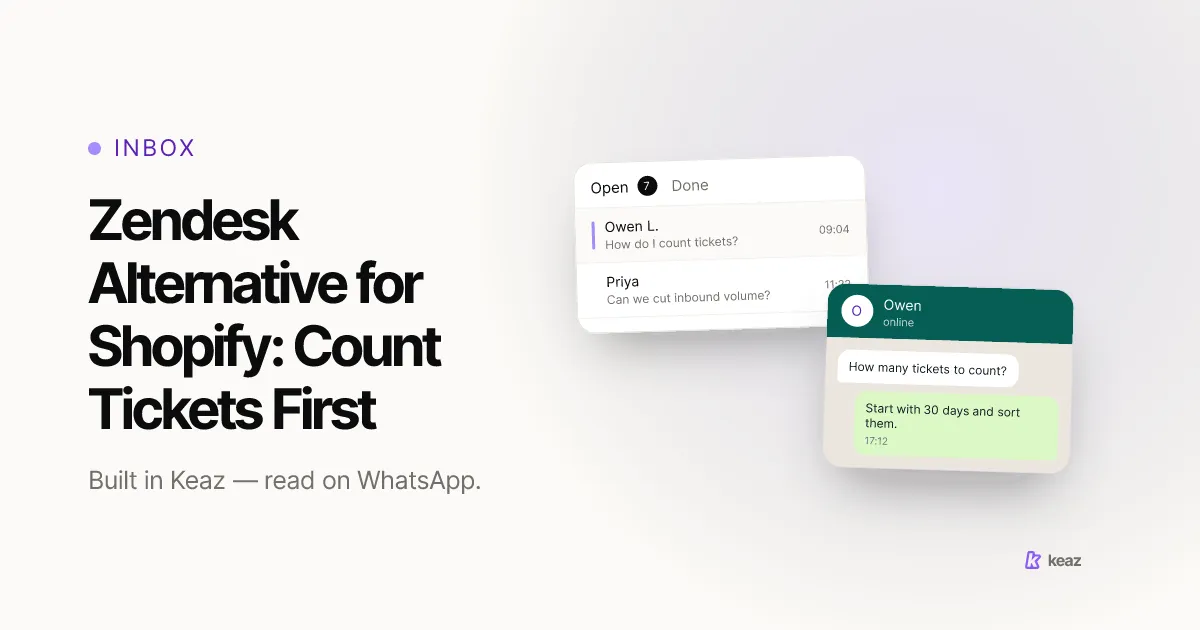
A Zendesk alternative gets shopped as a cheaper ticket system, and that is the wrong unit. A help desk prices the tickets you already receive; it never asks how many of them should exist. Most Shopify stores can remove a whole bucket of their inbound volume before they buy anything, and the size of that bucket decides what kind of tool they actually need. Count first. Shortlist second.
In short
- Count 30 days of inbound contacts and sort them into three buckets — order status, product questions, real problems. One number each, every channel included.
- Reach caps everything downstream. Most Shopify stores start with 35–55% of their last-12-months customers reachable on WhatsApp; with Keaz that moves past 85% in about 60 days.
- Replies inside the 24-hour customer service window have been charged per delivered message since 1 October 2026, with the first 1,000 per business phone number each month at no charge.
Why do Shopify stores outgrow a ticket system?
The reason matters, because the three common ones do not lead to the same replacement. Be precise about which is yours before you open a single pricing page.
You built more process than you use. Ticket states, assignment rules, macros, satisfaction surveys and a knowledge base are all real capabilities, and a store with two people answering messages typically touches three of them. Machinery you do not operate is not free: somebody configured it, and somebody keeps it current.
Your customers moved and the desk did not. A queue that is excellent on email is worth less than a plain one sitting where your customers already are. On our own audience data, 34% of a store's customers are reachable on WhatsApp only — they never open an email thread at all. What Keaz actually does is worth reading as a scope rather than a pitch: it is a shared WhatsApp inbox with Shopify order history beside the chat and flows triggered by events in your shop, not a general-purpose desk across six channels.
Your volume is made of questions the shop could answer itself. This is the one that pays. If a third of your inbound is "where is my order", you are paying a per-seat price for someone to type an answer your store already knows.
What should you count before you shortlist anything?
Four numbers, thirty days, one spreadsheet. None of it needs a trial account.
- Total inbound contacts, every channel. Email, chat widget, WhatsApp, Instagram, the phone notes nobody logs. One figure. If you cannot produce it, that is already the first finding.
- The three buckets. Order status and delivery. Product and fit questions asked before buying. Real problems — damage, returns, payment, complaints. Every contact goes in exactly one.
- Channel mix per bucket. Order-status questions and complaints rarely arrive on the same channel, and that split decides more than any feature on a comparison page.
- Time to first useful answer, per bucket. Not time to first reply. An instant acknowledgement that resolves nothing improves the metric and not the week.
Now you have a shape rather than a feeling. A store whose volume is 60% order status and 10% problems has a notification gap, not a tooling gap. A store that is half real problems has a product or logistics issue, and no help desk will fix that one. The per-industry ranges are a reasonable sanity check on what normal looks like in your vertical.
Which of those tickets should not exist?
Take the order-status bucket first, because it is usually the largest and always the easiest to remove. These are not support questions. They are a status update the customer did not receive.
- Send the update before it is asked for. Shopify already triggers notifications on order placement, fulfilment, refunds and exchanges (Shopify Help Center, retrieved 2026-10-09). The open question is whether yours land on a channel the customer reads. Order notifications on WhatsApp covers what to send and when.
- Answer the repeat questions automatically. Shipping times, return windows, sizing. A keyword reply handles those without a person and without creating a ticket at all.
- Put the order history next to the chat. Whatever survives the first two gets answered in ten seconds instead of two minutes if the person replying can see the last order without opening a second tab.
Do this before you shortlist, not after. A tool bought against inflated volume is sized for a problem you were about to remove, and you will carry that sizing for the length of the contract.
What changes when the remaining tickets move to WhatsApp?
Three rules, and they are Meta's rather than ours. They are also why a WhatsApp inbox behaves differently from an email queue.
- The conversation has a clock. A customer message opens a 24-hour customer service window, and each further customer message resets it. Inside the window you reply freely; outside it, only pre-approved message templates can be sent (WhatsApp Business Platform documentation, retrieved 2026-10-09). The 24-hour reply window explains what the clock in the inbox is counting down.
- Replies are metered. Since 1 October 2026, service replies inside that window are charged per delivered message, with the first 1,000 per business phone number each month at no charge. For a store that has just removed its order-status bucket, that tier covers a good deal of a month — which is one more reason to deflect before you shop.
- You need permission before you start a conversation. Opt-in is required before a business messages someone, and the request has to name the business. Support consent and marketing consent are not the same permission, which is the part that catches stores out shortly after a migration.
The inbox overview shows the open-and-done split most small teams settle on, and how to evaluate a support tool covers the trial design once you know what you are shopping for.
Common mistakes
Roughly in order of how much they cost.
- Shopping before counting. Every vendor sizes you against the volume you describe. Describe the volume you will have after the obvious deflection, not the one you have today.
- Replacing machinery you were not using. Matching your current configuration item for item reproduces a setup nobody chose on purpose. Audit what you actually open each week first.
- Treating order status as support. It is a notification failure wearing a ticket's clothes. Routing it faster is the wrong fix and makes the volume look permanent.
- Grading on first reply. Auto-acknowledgements make the number look solved while the customer still waits for something they can act on.
- Assuming consent migrates with the contacts. The data moves; the permission does not follow it. Re-check opt-in status before the first send, not after the first complaint.
- Cancelling before the export opens. "We can export" and "the export is readable" are different claims. Verify the second one while you still have an account.
A Zendesk alternative is a volume decision before it is a vendor decision. Count thirty days, split the result into three buckets, remove the bucket your shop can answer by itself, and look at what is left. Stores that work in that order usually find they are shopping for something smaller — and often in a different category — than the thing they set out to replace.
The number that caps all of it is reach: how much of your customer base you can talk to at all today. Calculate your forecast — a few minutes, on your own Shopify data, no code.
This article is a summary rather than legal advice. Consent and data-protection obligations differ by market and by how you collect them, so have your own counsel review your opt-in and migration process before you rely on it.
Sources: WhatsApp Business Platform documentation (Meta, retrieved 2026-10-09) and Shopify Help Center — store notifications (Shopify, retrieved 2026-10-09). Product behaviour and coverage figures are from the Keaz help center and product documentation, retrieved October 2026.
Frequently asked questions
Is Keaz a Zendesk alternative?
How many support tickets can a Shopify store actually remove?
Do I still need a ticket system if one person answers everything?
Do my macros and saved replies move to a new tool?

Nils Spölgen
Founder at Keaz. Serial founder in chat marketing — built a local agency into Keaz, the WhatsApp marketing platform for Shopify. Bootstrapped the MVP, raised funding, and scaled to 200+ merchants in DACH. Writes about flows, opt-in & GDPR, Klaviyo, and realistic revenue benchmarks — prefers conservative math over impressive claims. View profile