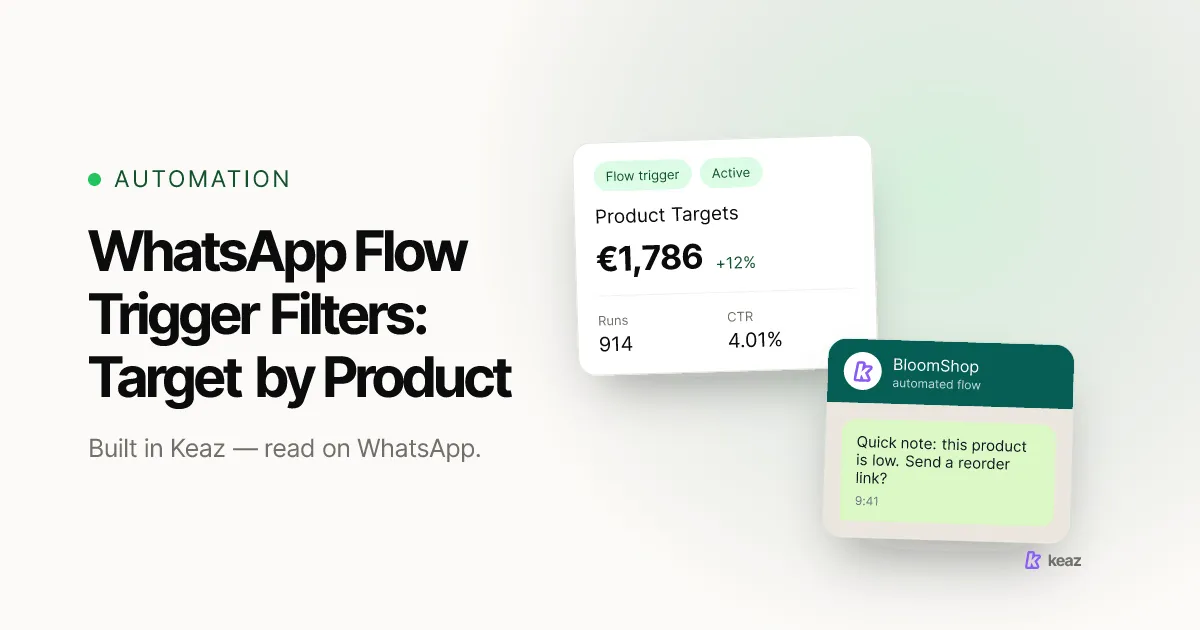
A trigger filter is the part of a Keaz Flow's Starting point that decides who enters it. The trigger decides what starts the Flow — an order, an abandoned checkout, a message from the customer. The filters sitting next to it narrow that down to the contacts you actually want: buyers of one product, customers in one country, first-time buyers rather than regulars. That is how a single Flow sends a different WhatsApp message for a filter cartridge than it does for a shower head, without you building two separate Flows.
The short version:
- Five trigger types from four sources can start a Flow. Trigger filters are shown for the two Shopify triggers — Contact purchase and Abandoned checkout.
- One filter holding several products means any of these products. Two separate product filters mean both must be true — the single most common misconfiguration, and the reason a Flow reaches almost nobody.
- Shopify marks a checkout abandoned after 10 minutes of inactivity once it has the customer's email, and published aggregates put cart abandonment around 70% — so the abandoned-checkout trigger is the one filters pay off on fastest.
What does a trigger filter actually do?
Every Flow is built from three kinds of block: a Starting point, one or more Messages blocks, and optional Delay blocks that hold contacts between messages. The Starting point is where the trigger, the filters, the contact labels and the revenue-tracking discount code all live, which is why it does more work than its name suggests.
The division of labour is worth learning once, because it explains every targeting question you will have later: the trigger decides what starts the Flow, the filters and labels decide who actually enters it. A Flow with a Contact purchase trigger and no filters fires for every order. Add a filter for one product and the same Flow now fires only for orders containing that product. Nothing else about the Flow changes — same messages, same delays, same discount code.
Filtering is not about capacity — one Flow serves any number of contacts at once. It is about relevance: a reminder that names the product someone actually bought beats a generic nudge, and it is the same Flow either way. The Flows overview in the help center covers the block structure.
Which triggers can you filter, and why only those?
Five trigger types, from four sources — two Shopify events, one Keaz-internal, one external, and one on WhatsApp itself:
- Contact purchase — Shopify. A contact places an order in your shop. How the Contact purchase trigger works covers the order data it can read.
- Abandoned checkout — Shopify. A contact starts a checkout and does not finish it. Shopify counts a checkout as abandoned once it has stayed incomplete for more than ten minutes after the customer supplied their email (Shopify Help Center), so this trigger fires within minutes rather than hours.
- Smart activation — Keaz-internal. Keaz works out the best sending moment per contact to keep spam reports low and protect your WhatsApp account quality. You do not set a fixed time.
- Webhook — external. Another system calls Keaz and starts the Flow, which is how events your shop system does not emit get in.
- Chat-in — WhatsApp. The contact writes to you first.
Trigger filters are rendered in the Flow builder for the two Shopify triggers, Contact purchase and Abandoned checkout. That is not an arbitrary limit: those are the triggers that arrive carrying an order or a checkout, so there is product, value and customer data to filter on. Smart activation, Webhook and Chat-in do not bring a line-item payload with them, so the targeting question for those Flows is a segment-and-label question instead.
If you are choosing between the two Shopify triggers, abandoned checkout is usually where the money is first. Published cart-abandonment aggregates cluster around 70% across retail — Baymard Institute's running meta-analysis of 50 studies put it at roughly that level in its 2025 update (Baymard Institute) — and our own forecast inputs assume about 28% checkout abandonment for a typical DACH Shopify shop, with WhatsApp adding around 8 percentage points of recovery over email alone. We label published bands rather than quoting them as our own; how the forecast is calculated sets out which numbers come from where. The cart recovery playbook goes deeper on the messages themselves.
How do you send different messages for different products?
This is the part that costs shops real money when it is set up wrong, so it is worth being precise. Inside one Starting point, conditions within a single filter are combined with OR, and separate filters are combined with AND. In plain terms: one product filter listing three products means "any of these three". Three separate product filters mean the order has to contain all three products at once — which almost never happens, so the Flow quietly reaches nobody.
Do it like this
- Open the Flow and select the Starting point block.
- Set the trigger to Contact purchase or Abandoned checkout.
- Add one condition on the product field.
- Add every product you want to match to that same condition — the field takes multiple values.
- Read the summary line back. It should say any of these products. If you are looking at two separate product conditions instead, delete one and merge the values.
- Save and activate.
The same fields are available for product category, product type and product tag, which is how you target a whole collection rather than naming every SKU — useful when the collection changes but the Flow should not. Country and customer type are filterable too, so "first order from Austria containing anything in the Refills collection" is one Starting point, not three Flows.
Use AND deliberately when you do want it. "Order contains any of these three filter cartridges" AND "country is Germany" is two filters doing exactly what two filters should do. The mistake is only ever using two filters on the same field when you meant "either one".
How does Keaz tell a first-time buyer from a returning one?
By order count, and it is worth routing the two groups to different Flows rather than trying to write one message that suits both. Keaz distinguishes them on the contact's order count: order count = 1 is a first-time buyer, order count > 1 is a returning one.
So a welcome or first-order Flow filters on order count = 1, and a repeat-purchase or order-confirmation Flow filters on order count greater than 1. Keep them as two Flows with two filters and every buyer lands in exactly one of them. Try to serve both from a single Flow and you end up writing a message that greets a customer who has bought from you nine times, which reads worse than sending nothing.
The first-order side of this is a whole Flow in its own right — the WhatsApp welcome message guide covers what to say and how long to wait. For the returning side, the useful filter is usually not order count on its own but order count combined with a product filter, so a regular gets a reminder about the thing they actually re-buy.
Common mistakes
Five failure modes, in rough order of how often they cost something:
- Two filters where you meant one. Two conditions on the product field are ANDed, so the customer would have to buy both products in the same order. Symptom: a Flow that has been active for weeks with a handful of contacts in it. Fix: one condition, several values.
- Filters left behind after changing the trigger type. Filters are only displayed for Contact purchase and Abandoned checkout. In Flows built before 9 August 2026, a filter set under one of those triggers could survive a switch to another trigger type — still evaluated, still blocking, no longer visible anywhere in the interface. That behaviour has been fixed, but if an older Flow has never fired and you cannot see why, switch its trigger back to Contact purchase, check what filters appear, and clear the ones you did not intend.
- Filtering until the audience is too small to matter. A filter that leaves twenty contacts is a filter that cannot move a number. Check the audience size before you activate, and widen the product list rather than the message.
- Assuming a filter creates consent. Filters narrow who enters a Flow. They do not opt anyone in. The minimum opt-in level on the Flow is a separate setting and it is the one that governs whether you may message someone at all.
- No per-Flow discount code. Revenue is attributed through a discount code created per Flow. Share one code across two targeted Flows and you lose the ability to tell which targeting worked, which is the whole reason you filtered in the first place.
Trigger filters are the difference between a Flow that fires for every order and one that fires for the orders you meant. Learn the one rule that matters — several values in one filter means any of; two filters means both — route first-time and returning buyers to separate Flows, and give each Flow its own discount code so you can see which targeting earned its keep. Everything else is detail you can pick up in the builder. See the rest of what Flows can do on the features page.
Want to know what better-targeted WhatsApp flows would be worth on your own numbers before you rebuild anything? Calculate your forecast — it runs on your Shopify data and takes a couple of minutes.
Frequently asked questions
Can one Flow send different messages for different products?
Why can't I see filters on my Flow?
Do trigger filters work on collections, or only on individual products?
How do I check a filter is doing what I think?

Nils Spölgen
Founder at Keaz. Serial founder in chat marketing — built a local agency into Keaz, the WhatsApp marketing platform for Shopify. Bootstrapped the MVP, raised funding, and scaled to 200+ merchants in DACH. Writes about flows, opt-in & GDPR, Klaviyo, and realistic revenue benchmarks — prefers conservative math over impressive claims. View profile