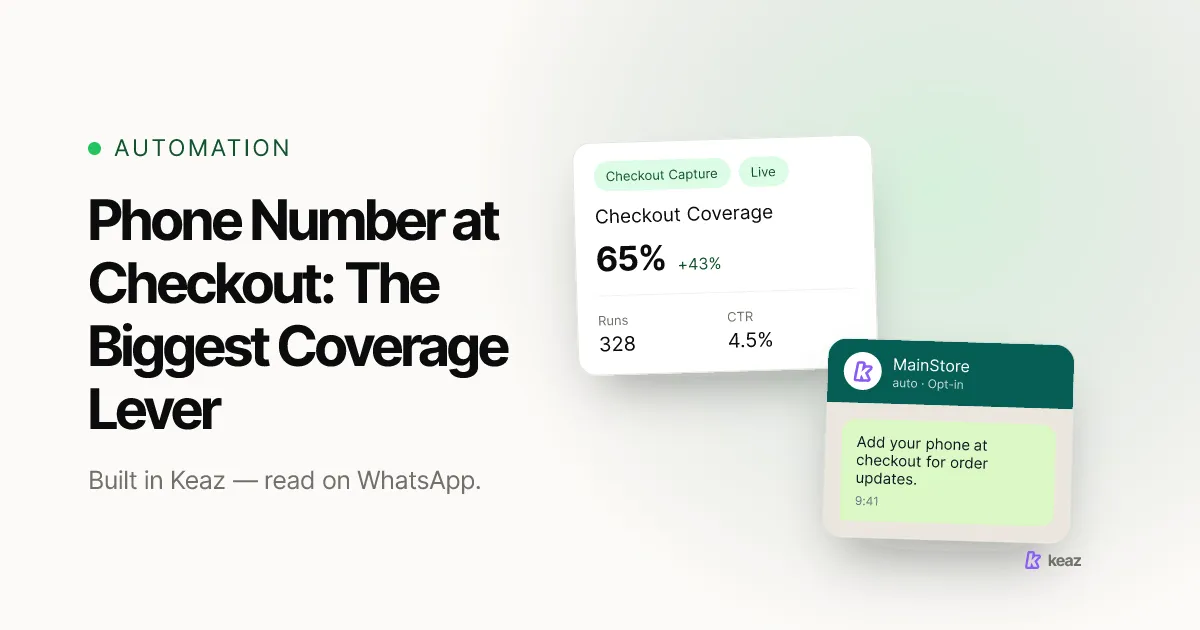
Capturing a phone number at checkout is the single biggest lever a Shopify store has on WhatsApp revenue. Left as an afterthought, it collects a number on roughly 22% of checkouts. Asked for clearly, with a reason attached, that figure moves to 65-70%. Every message you ever send is multiplied by that percentage, which is why coverage - not list size - is the first number worth fixing.
- 22% to 65-70% - the phone-capture rate at checkout once the field is actively encouraged instead of buried.
- 30-50% - the share of customers a typical Shopify store can reach by phone at all before it fixes this.
- 35-55% to 85%+ in about 60 days - the Customer Contact Coverage range stores typically move through with Keaz.
Why is coverage, not list size, the number that decides your WhatsApp revenue?
Because every flow you run multiplies two numbers: how well it converts, and how many of your customers it can physically reach. The second one is Customer Contact Coverage (CCC) - the share of everyone who bought from you in the last 12 months that you can message on WhatsApp. If your CCC is 40%, then 60 of every 100 active customers are invisible to the channel, no matter how good the copy is.
The arithmetic is unforgiving. Cart Recovery converts at 18-30%, which makes it the strongest flow in the product - but only against the carts it can reach. Doubling coverage does more for revenue than any rewrite of a message ever will, and it does it for every flow at once.
It also adds audience rather than moving it around. Across the customers of the stores we work with, 24% are reachable by email only, 38% by both channels, 34% on WhatsApp only and 3% by neither. About a third of your customers are reachable on WhatsApp and nowhere else, which is why WhatsApp complements email instead of replacing it - the longer version of that argument is in WhatsApp vs. email marketing: what the 2026 numbers really say. On the customers both channels already reach, conversion moves from 2.1% to 4.5%, roughly 1.5x. How we arrive at those figures is set out on our methodology page.
Where does the phone number at checkout actually get captured?
In two places, and they behave differently. The first is the contact method your checkout asks for. The second is the phone field on the shipping address, which you can leave optional or make required. Both sit under Settings, Checkout in your Shopify admin - Shopify documents the available combinations in its checkout form options guide (Shopify Help Center, 2026).
One constraint matters before you plan anything: on standard Shopify plans you cannot demand an email address and a phone number at the same time. If you set the contact method to accept a phone number, some buyers will give you a phone and no email. Decide which of those two you would rather lose before you touch the setting.
That leaves three realistic postures, and each one has a price:
- Don't ask. No friction, and a capture rate around 22%. You inherit whatever numbers Shopify happens to pass through from payment providers and shipping.
- Encourage. The field is visible, clearly labelled, and carries one line of reason next to it - order updates on WhatsApp, delivery notifications, that kind of thing. This is the setting behind the 65-70% figure and the one we recommend to almost every store.
- Require. The highest capture rate and the highest risk. Every field you add to a checkout costs conversion somewhere: 17% of US online shoppers report abandoning an order because the checkout was too long or too complicated, and the average US checkout already shows far more form elements than an optimised one (Baymard Institute, 2026).
For most DACH stores the honest answer is to encourage rather than require. A required field buys you maybe another few points of coverage and puts it in front of the one thing you cannot afford to lose - the order itself.
Practically: set the phone field to visible and optional, write a single line next to it that says what the number is for, and leave it alone for four weeks before you judge it. The capture rate is a cohort number, so it needs a cohort of checkouts before it means anything.
What catches the buyers who still don't leave a number?
A second net on the thank-you page. Keaz shows a widget after a completed purchase, but only to buyers whose order contains no phone number - so it never asks twice and never creates a duplicate. The buyer types their number, confirms, and the contact lands in Keaz ready to use in flows, segments and newsletters. There is a Safe mode toggle for stores that want a stricter reading of consent; the setup is described in collect phone numbers after checkout.
The widget matters more than it sounds. It works precisely on the gap the checkout field leaves behind, and it catches people at the one moment they are most positively disposed towards you - thirty seconds after they decided to buy.
A chat widget on the storefront is the third net, and a different kind of one: it captures people who start the conversation themselves, which usually means a question rather than a purchase. Lower volume, higher intent. The full set of capture and flow options is on the features page.
Does a captured number mean you may message it?
No, and this is where stores get themselves into trouble. A phone number in your Shopify order data is contact information. Permission to send marketing is a separate thing, and it has to be explicit, documented and revocable. Collecting the number and obtaining consent are two steps, and only the first one happens automatically.
Keaz models this as an opt-in level stored on the contact rather than as a subscriber list you maintain by hand. Each flow's starting point can require a minimum level, so an order update and a promotional send do not need the same consent - the mechanics are in opt-in levels: how subscribing and unsubscribing works.
What a valid opt-in has to look like, and which capture mechanisms produce one, is a longer subject than it looks: our guide to collecting WhatsApp opt-ins the GDPR-compliant way walks through it. Set the opt-in filter on every marketing flow, not only the obvious ones. It is the single check that keeps sends clean as the contact base grows.
What coverage should you expect, and how quickly?
Most Shopify stores start somewhere between 35% and 55% CCC. With the checkout field encouraged and the after-checkout widget live, stores typically reach 85%+ within about 60 days. The checkout field does most of that work; the widget closes the gap the field leaves.
Coverage behaves like a stock, not a flow. Every week the field is off is a cohort of customers you will never capture retroactively - they have already bought, the moment has passed, and the only way back to them is a re-engagement send to contacts you do have. That asymmetry is the argument for changing the setting this week rather than after the next planning cycle.
If you want the number in euros rather than percent, the revenue forecast turns your current coverage and your real per-customer value into a monthly figure, and shows what closing the gap is worth.
Common mistakes
- Making the field required on day one. You get the coverage and lose checkouts, and because the two effects land in different reports, nobody connects them for a quarter.
- Adding the field without a reason next to it. An unexplained phone field reads as data collection. One line about order updates on WhatsApp is the difference between 22% and something much better.
- Treating a captured number as consent. It is contact data. The opt-in is a separate, documented step - see the section above.
- Turning on the after-checkout widget and never looking at it again. It only fires for orders without a phone number, so its volume falls as your checkout capture rises. That is success, not failure - but only if you know to expect it.
- Optimising message copy before coverage. A 10% lift on a message that reaches 40% of your customers is worth less than a 20-point coverage gain on every message you will ever send.
- Reporting list size instead of coverage. A growing list with flat coverage means your customer base grew and your reach did not.
Coverage is the multiplier on everything else you do on WhatsApp, and the phone number at checkout is the cheapest point of leverage on it. Set the field to visible and encouraged, write one line next to it explaining what the number is for, switch on the after-checkout widget for the buyers it misses, and treat consent as its own step. That sequence is a morning's work and it is worth more than a quarter of message optimisation.
Want to know what your current coverage gap costs you per month? Calculate your forecast.
This article is a summary rather than legal advice. Consent requirements depend on your jurisdiction and your setup - have your own counsel review how you collect and document opt-ins.
Frequently asked questions
Does asking for a phone number hurt conversion?
Should I ever make it required?
What about customers who bought before I turned this on?
Is a number from checkout enough to send WhatsApp marketing?
Does any of this need Klaviyo?

Nils Spölgen
Founder at Keaz. Serial founder in chat marketing — built a local agency into Keaz, the WhatsApp marketing platform for Shopify. Bootstrapped the MVP, raised funding, and scaled to 200+ merchants in DACH. Writes about flows, opt-in & GDPR, Klaviyo, and realistic revenue benchmarks — prefers conservative math over impressive claims. View profile