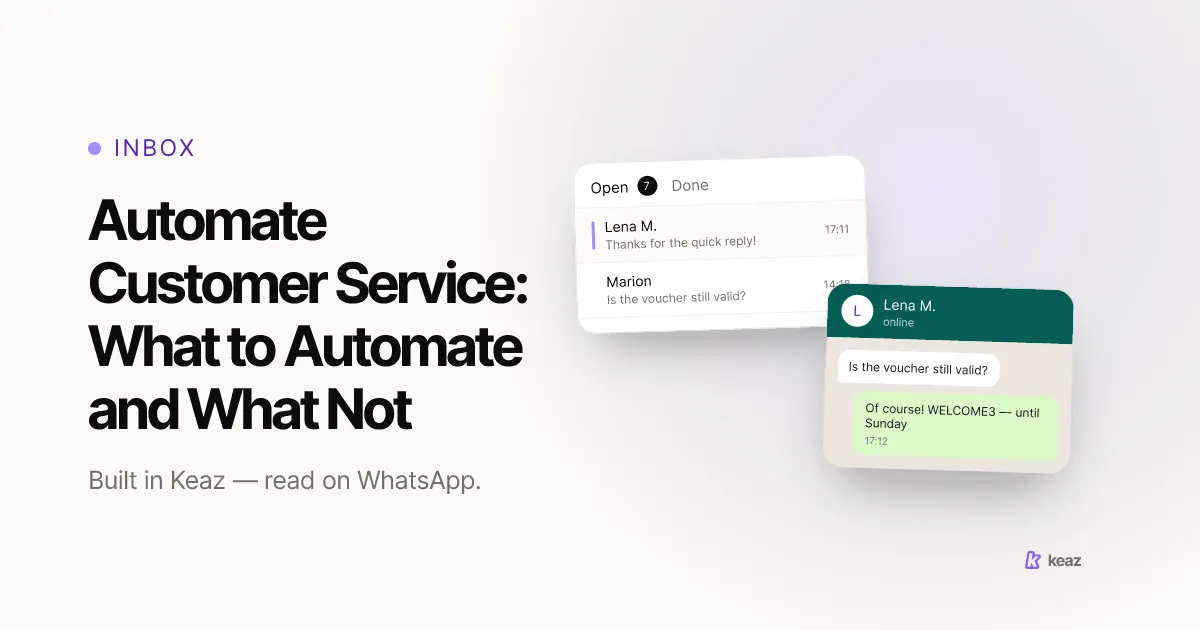
Automate customer service where the question repeats, the answer is stable, and being wrong is cheap: order status, shipping times, opening hours, the returns policy. Everything else should reach a person quickly. That boundary matters more than the tooling, because only 14% of customer service issues are fully resolved in self-service — and even issues customers themselves call "very simple" resolve only 36% of the time (Gartner, survey of 5,728 customers, August 2024, retrieved 2026-09-15).
Automation that ignores the boundary does not remove work. It puts a step in front of the work, and the customer pays for that step in time.
- 14% of service issues fully resolve in self-service. Plan for the handover, not for deflection (Gartner, August 2024).
- 62% of German online shoppers want a quickly reachable human when an order goes wrong; 36% want a chatbot (Bitkom, May 2025).
- 3 families of question are worth automating in a shop: order status, standing facts, and the first message of a conversation.
What should you actually automate in customer service?
Run every recurring question through three tests before you automate it.
- Does it repeat? If you answered it fewer than five times last month, the rule costs more attention than it saves.
- Is the answer stable? A fixed answer that changes every few weeks becomes a wrong answer the week nobody remembers to edit it.
- Is being wrong cheap? If a bad answer costs you a refund, a chargeback or a public review, a person should send it.
Three families pass all three tests in almost every Shopify store. Order and shipping status is the most repeated question in e-commerce and the one whose answer a system already holds. Standing facts — sizing, materials, opening hours, the returns window, the countries you ship to — change rarely and carry no judgement. The opening move, the first reply after someone writes in, sets the expectation for everything that follows and is identical for every customer.
Notice what is missing from that list: anything requiring a decision. The mechanics of keyword-triggered replies are the same whichever family you start with. The judgement is in picking the family, not in configuring the rule.
Which questions belong to a human?
Customers are explicit about this. Asked what they would want if something went wrong with an order, 62% of German online shoppers chose a quickly reachable human contact and 36% chose a chatbot. Satisfaction follows the same shape: 86% were satisfied after human contact against 50% for chatbot service (Bitkom, representative survey of 1,006 internet users aged 16 and over, May 2025, retrieved 2026-09-15).
Four kinds of conversation should never end at a machine.
- Money moving the wrong way. Refunds, double charges, failed payments. The customer is already out of pocket, and an automated reply reads as a stall.
- An angry opener. Once someone is annoyed, an automated reply is not neutral. It is an escalation.
- Anything needing a judgement call. Goodwill, an exception to the returns window, a replacement outside policy. These are decisions, and decisions need an owner.
- Anything you would not want screenshotted. If the wrong answer would embarrass you in a public review, being wrong was never cheap.
Gartner's numbers also explain how automation fails. Of customers who started in self-service, 45% said the company did not understand what they were trying to do, and in 43% of cases they simply could not find content relevant to their issue (Gartner, August 2024). The failure is coverage and comprehension, not speed — which is why buying a faster tool rarely fixes it. Our overview of what Keaz does is deliberately narrow for the same reason.
How do you automate customer service step by step?
- Read the last 100 conversations. Not a sample from memory — the actual messages. Sort them into buckets and count each bucket.
- Take the top three buckets only. The long tail of one-off questions is exactly what the human queue exists for.
- Write each answer once, properly. Short, specific, and containing the next step. An automated answer that ends without a next step generates a second message.
- Attach it to one trigger. A keyword, a moment in the order lifecycle, or the first inbound message. One answer per trigger, so you can tell later which rule did what.
- Set the fallback before you switch it on. Decide what happens when nothing matches, and make sure a person sees it. This step gets skipped more than any other, and it is the one that decides whether automation helps or hurts.
Then leave it alone for four weeks and read the transcripts again. The first version is always a hypothesis.
What can a Shopify store automate inside Keaz?
Keaz automates the conversation layer rather than a service desk. What exists today:
- Keyword replies. Trigger words that answer a repeated question immediately — see the Keywords overview in the help center.
- A default reply. The catch-all that answers when nothing else matches, so nobody is left in silence — this is the fallback from step 5, and setting up a Default Reply takes a few minutes.
- A conversation starter. The opening message that greets an inbound contact and frames what the shop can help with.
- Flows on real triggers. A contact's purchase, an abandoned checkout, a chat-in, or a webhook from your own systems can each start a sequence — so status messages go out before the question arrives.
What Keaz does not do, and you should plan around: there is no ticket-routing engine, no SLA timers, no deflection scoring, and no AI agent that closes cases on its own. Conversations land in a shared inbox and a person handles whatever the rules did not. For a team of one to ten that is usually the right shape; for a tiered support organisation it is not, and no amount of configuration will change that. If you were expecting something closer to a bot, what a shop chatbot realistically does is a shorter list than most vendors imply.
How do you know the automation worked?
Three numbers, measured before and after. None of them is "messages sent".
- Share of conversations that never needed a person. The honest deflection figure. Expect it lower than a vendor demo suggests; Gartner's 14% is the benchmark to argue against, not a number you will beat in month one.
- Time to first human reply on the conversations that did need one. If automation made this worse, it is not working, whatever the deflection figure says.
- Repeat-contact rate. How often the same customer writes again about the same thing within a week. A rising number means your automated answers are closing conversations without resolving them.
Read together, those three tell you whether you removed work or merely moved it. For the revenue side of the same picture, the Keaz Forecast models the channel against your own store data rather than an industry average.
Common mistakes
- Automating the answer instead of the question. Teams write a clever reply and then go hunting for a trigger to hang it on. Start from the transcript; the question tells you whether it deserves automation at all.
- Shipping without a fallback. Nothing matched, nobody was told, the customer waited. This is the most common failure in the whole exercise and it is entirely preventable.
- Automating the apology. An automated reply to a complaint reliably makes the complaint worse. Route it; do not answer it.
- Letting it rot. A stable answer stops being stable. Shipping times change in November; the returns window changes after a promotion. Put a recurring reminder against every automated answer you own.
- Measuring sends instead of outcomes. A high send count next to a rising repeat-contact rate means the automation is generating work, not absorbing it.
Automate customer service at the boundary where the question repeats, the answer holds still, and being wrong is cheap — then spend the time you saved on the conversations that are none of those things. Your own transcript will locate that boundary better than any benchmark can.
See what the channel is worth on your own numbers — the Keaz Forecast runs on your store data, not an industry average.
Frequently asked questions
What is customer service automation?
Is it worth automating customer service in a small shop?
Does automation replace a support team?
What should never be automated?
How many automated replies should a shop start with?

Nils Spölgen
Founder at Keaz. Serial founder in chat marketing — built a local agency into Keaz, the WhatsApp marketing platform for Shopify. Bootstrapped the MVP, raised funding, and scaled to 200+ merchants in DACH. Writes about flows, opt-in & GDPR, Klaviyo, and realistic revenue benchmarks — prefers conservative math over impressive claims. View profile